
01 — Overview
A focused tool, not a platform.
ViewerFX® does one thing well: it opens Crystal Reports files (.rpt) and lets your team work with them. View saved data, refresh against live sources, drill into parameters, export to a dozen formats, and deliver reports by email, FTP, or print. No Crystal Reports installation required.
For organizations still running Crystal Reports as part of their reporting infrastructure, ViewerFX® gives end users access to the reports they need without the cost or complexity of full Crystal Reports licenses for everyone who reads a report.
02 — Key features
Built for daily use.
ViewerFX® has been refined over years of real-world use. Every feature exists because Crystal Reports users asked for it.
Interactive report viewing
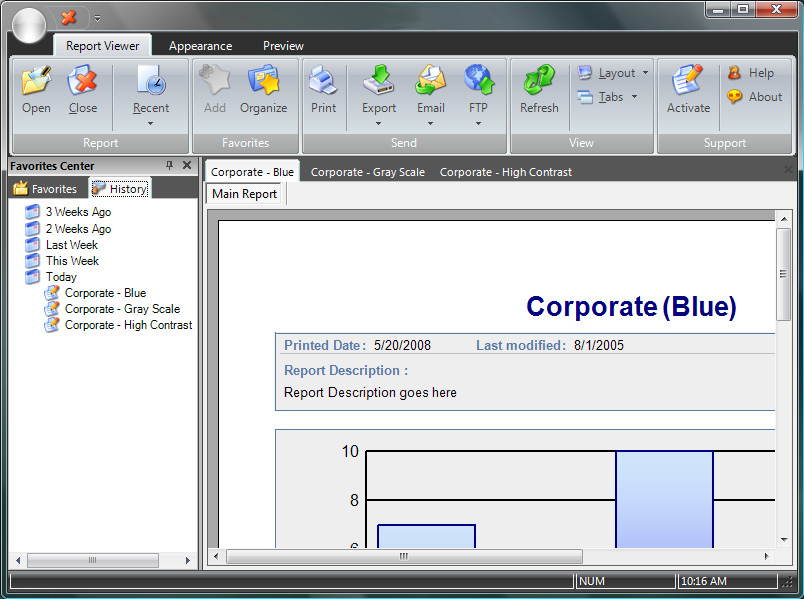
Refresh data on demand, work with parameters, modify selection formulas, and drill into report details without going back to the server. Recipients work with current data, not static snapshots.
Flexible delivery
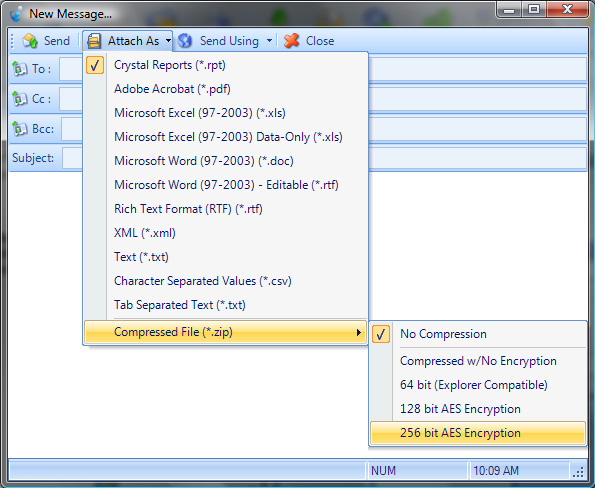
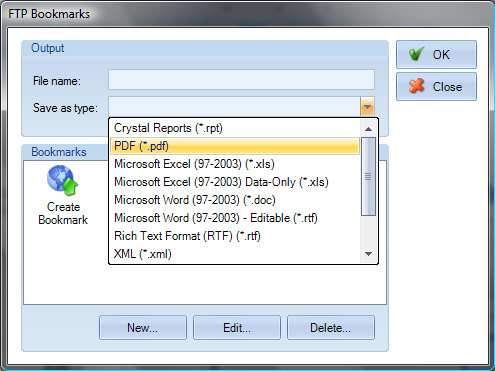
Export to PDF, Excel, Word, RTF, HTML, CSV, XML, and more. Deliver reports by email (with Outlook contact integration), FTP, network folder, or print. Encrypt sensitive output with AES encryption.
IT-friendly controls
Lock down viewer functionality at the user, group, or organization level using the built-in configuration editor. Control exactly what end users can do and see, so proprietary data stays in your organization.
Broad compatibility
Open Crystal Reports files created across more than a decade of Crystal versions. ViewerFX® has one of the widest version compatibility ranges in the Crystal ecosystem, so legacy reports keep working.
03 — Editions
Three editions, one product.
ViewerFX® is available in three editions. Free Edition for casual use, Standard Edition for individual professionals, and Server Edition for Citrix and Terminal Server environments. The full feature comparison is below.
| Feature | Free | Standard | Server |
|---|---|---|---|
| Report Data | |||
| View saved data | Included | Included | Included |
| Refresh report data | — | Included | Included |
| Database Logon | |||
| Database logon for main report | — | Included | Included |
| Logon credentials including server name | — | Included | Included |
| Override report database information at runtime | — | Included | Included |
| Parameters | |||
| Parameters on main and sub-reports | — | Included | Included |
| Single value parameter selection | — | Included | Included |
| Range of values | — | Included | Included |
| Modify and save selection formula | — | Included | Included |
| User-defined parameters | — | Included | Included |
| Email Delivery | |||
| Output to email | Included | Included | Included |
| CC and BCC fields | Included | Included | Included |
| Outlook contacts | — | Included | Included |
| Outgoing email signature | Included | — | — |
| Single SMTP account | — | Included | Included |
| Multiple SMTP accounts | — | Included | Included |
| Print and File Delivery | |||
| Output to single printer | Included | Included | Included |
| Multiple copies to a single printer | Included | Included | Included |
| Output to folder | Included | Included | Included |
| Output to FTP folder | — | Included | Included |
| Output Formats | |||
| Acrobat (PDF) | Included | Included | Included |
| Crystal Reports (RPT) | Included | Included | Included |
| Excel (all versions) | Included | Included | Included |
| Microsoft Word | Included | Included | Included |
| Rich Text Format (RTF) | Included | Included | Included |
| AES Encryption | — | Included | Included |
| CSV | — | Included | Included |
| HTML | — | Included | Included |
| Tab-Separated | — | Included | Included |
| Plain Text | — | Included | Included |
| XML | — | Included | Included |
| ZIP | — | Included | Included |
| Favorites | |||
| Store a copy of a report | — | Included | Included |
| Save logon and parameter settings | — | Included | Included |
| Change selection formula | — | Included | Included |
| Application integration | — | Included | Included |
| Network and Integration | |||
| Command line integration | — | Included | Included |
| Citrix and Terminal Server enabled | — | — | Included |
For pricing, see our buy page.
04 — Gallery
Inside ViewerFX®.
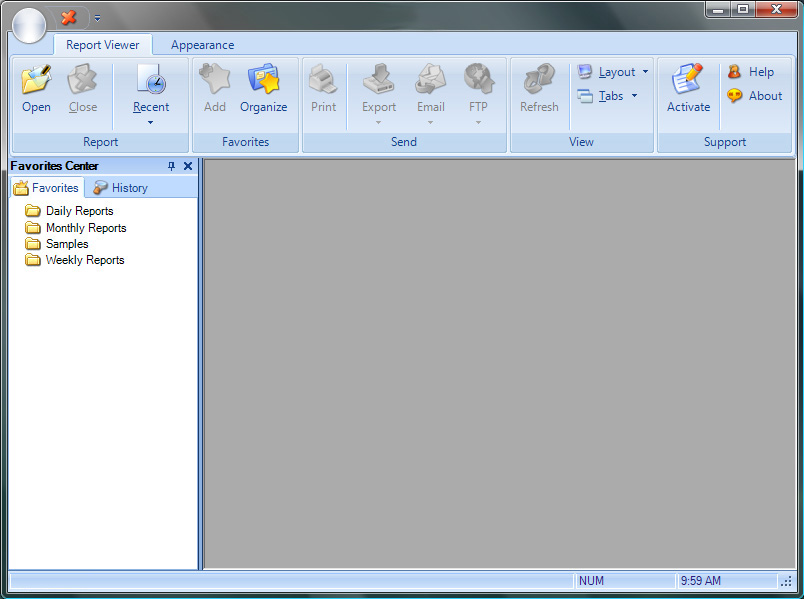
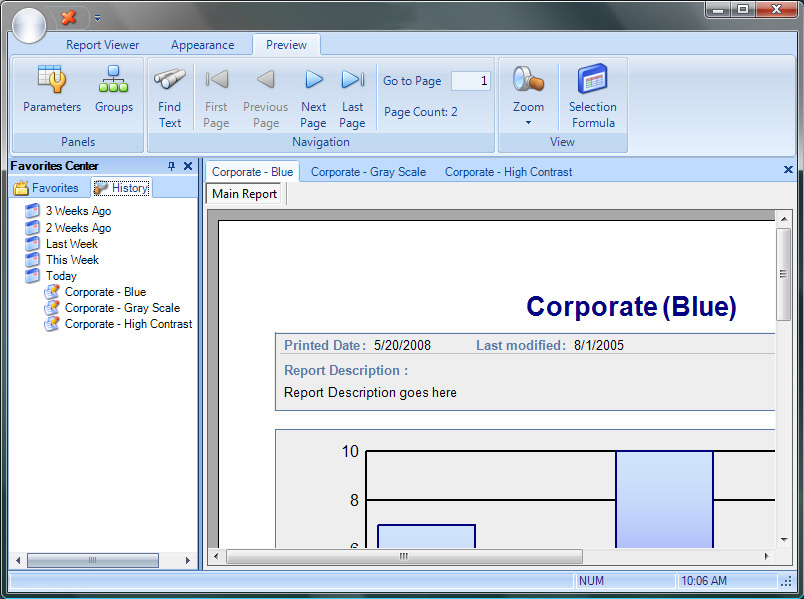
A look at the ViewerFX® interface in everyday use.
05 — FAQ
Common questions.
- What versions of Crystal Reports does ViewerFX® support?
- ViewerFX® opens Crystal Reports files (.rpt) created with Crystal Reports 8.5 and later. The product has been actively maintained with each Crystal Reports release, so legacy reports from older versions continue to work alongside modern ones.
- Do I need Crystal Reports installed to use ViewerFX®?
- No. ViewerFX® is a standalone application that opens .rpt files without requiring a Crystal Reports installation. This is one of the main reasons organizations choose ViewerFX® over deploying full Crystal Reports licenses to every report consumer.
- What's the difference between Free, Standard, and Server editions?
- Free Edition lets you view existing Crystal Reports without refreshing data or modifying parameters. Standard Edition is the full single-user product with refresh, parameters, all output formats, and delivery options. Server Edition is the Standard feature set licensed for Citrix and Terminal Server environments where multiple users access ViewerFX® through a shared server.
- Is ViewerFX® a one-time purchase or a subscription?
- ViewerFX® is a perpetual license. You pay once and use the software indefinitely. No annual fees, no subscriptions.
- Can I try before I buy?
- Yes. Download the free trial from this page or from the buy page. The trial is fully functional with no time limit on basic viewing. To use Standard or Server features (refresh, parameters, all output formats, etc.) beyond the trial period, purchase a license.
- What if I need a custom license arrangement?
- For volume licensing, multi-site deployments, or other custom requirements, contact our team and we'll work out a quote that fits your situation.
06 — Download
Get started.
Download the free trial below. Both editions are fully functional during the trial period, so you can evaluate ViewerFX® in your real reporting environment before purchasing.
Standard Edition
For desktop computers and individual users. Single-user licensing.
Download StandardCompatible with Crystal Reports 8.5 and later. Windows only.
Server Edition
For Citrix and Terminal Server environments. Multi-user, server-licensed.
Download ServerCompatible with Crystal Reports 8.5 and later. Windows Server only.
Need installation help? See the installation guide. Ready to buy? See pricing.