
01 — Overview
Built for the long view.
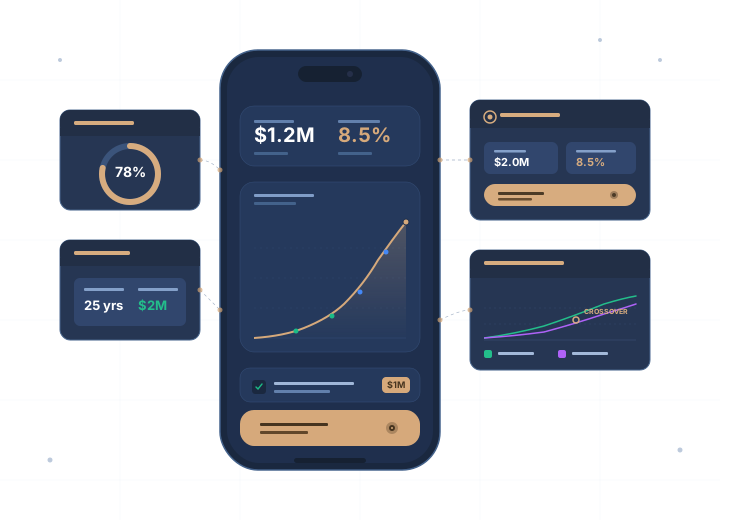
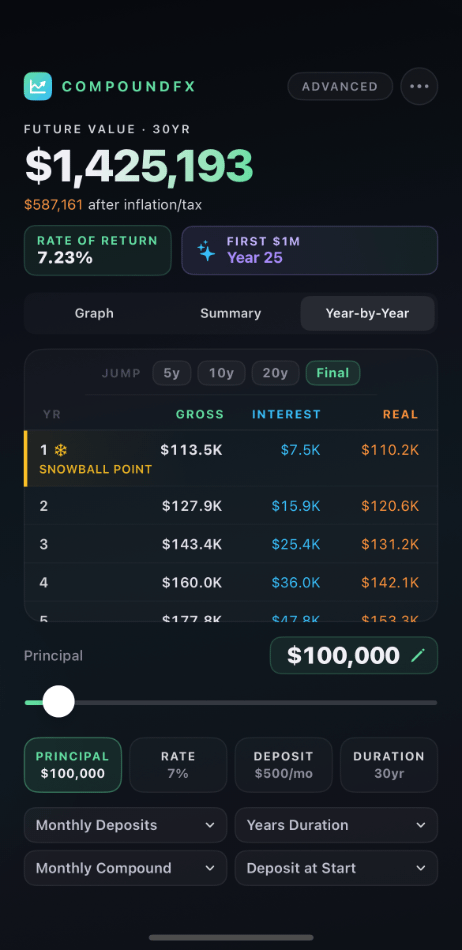
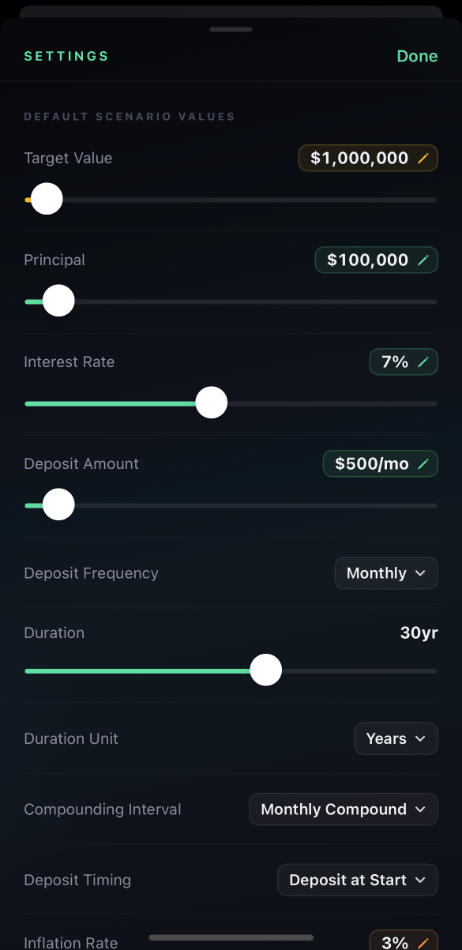
Most compound interest calculators stop at "enter your numbers and see a chart." CompoundFX goes further. Adjust deposit frequency from monthly to quarterly to annual. Choose how taxes affect your returns. Account for expense ratios on your investment vehicles. Model contributions made at the start or end of each period. Every variable you'd care about in real-world investing is exposed and adjustable.
The calculation engine is precise. Compound frequency switches between annual, quarterly, monthly, daily, and continuous. Rates are interpreted correctly for each compounding mode. Deposits land on real period boundaries without drift over thirty-plus year scenarios.
02 — LEARN MORE
The full picture, on the CompoundFX site.
Free calculators, worked examples, guides, and answers to common questions live on the dedicated CompoundFX site at compound-interest-calculator.app.
Free calculator
Run compound interest projections with contributions, real-time charts, and a year-by-year growth table.
Open the calculator →The formula, explained
A = P(1 + r/n)^nt with every variable defined, worked examples, and the Excel equivalent.
See the formula →Questions?
Pricing, accuracy, APR vs APY, doubling your money, and more.
Read the FAQ →Guides
Plain-English articles on starting early, compounding frequency, inflation, and tax drag.
Browse guides →Real-world examples
Six computed scenarios, from a $10,000 lump sum to the road to $1 million.
View examples →More calculators
Rule of 72, savings, retirement, FIRE, and inflation tools — each solves for a different variable.
Try the calculators →03 — Goal Mode
Solve for what you need.
Most compound interest calculators answer one question: given these inputs, what's the result? CompoundFX answers four:
What rate of return do I need?
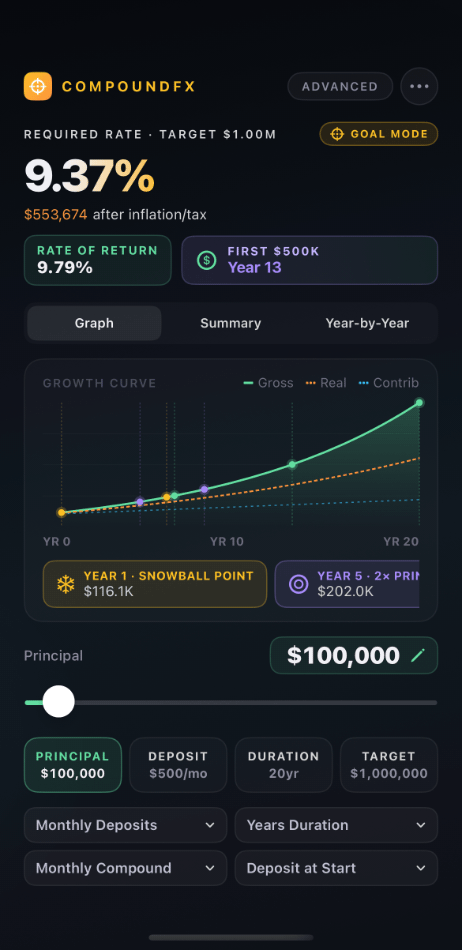
Set a target balance and a time horizon. CompoundFX solves for the annual rate of return required to get there, accounting for your deposit schedule, compounding frequency, and any expense drag. If the target is unreachable, you'll see why.
How long will it take?
Enter your target balance, your starting principal, and your contribution schedule. CompoundFX solves for the duration required at your chosen rate of return, with sub-year precision.
How much do I need to start with?
Working backwards from a future goal, CompoundFX solves for the starting principal required to hit your target at your chosen rate, time horizon, and contribution schedule.
How much do I need to contribute?
Given your starting balance, target, time horizon, and rate of return, CompoundFX solves for the periodic deposit amount required. Useful for setting realistic monthly savings goals tied to specific outcomes.
04 — Compare
Two paths, side by side.
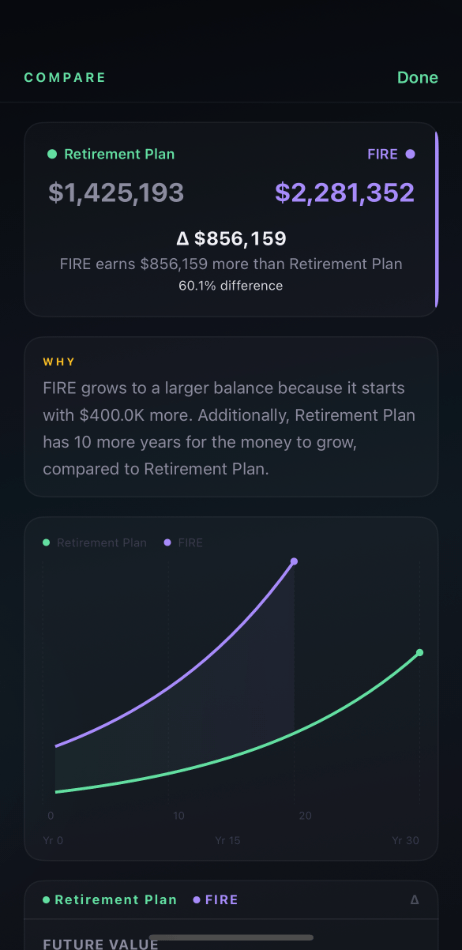
CompoundFX lets you save scenarios and compare any two of them in detail. The compare view shows both scenarios on overlay charts, with crossover detection that tells you when one strategy overtakes the other. A delta column on every metric explains exactly which inputs are responsible for the difference.
This is particularly useful for modeling "what-if" decisions. Should you contribute more aggressively in your 30s or steadily for 40 years? Roth versus traditional IRA. Real estate down payment versus index fund contribution. CompoundFX gives you the math to evaluate each path against the alternative.
05 — Saved scenarios
Your scenarios, your way.
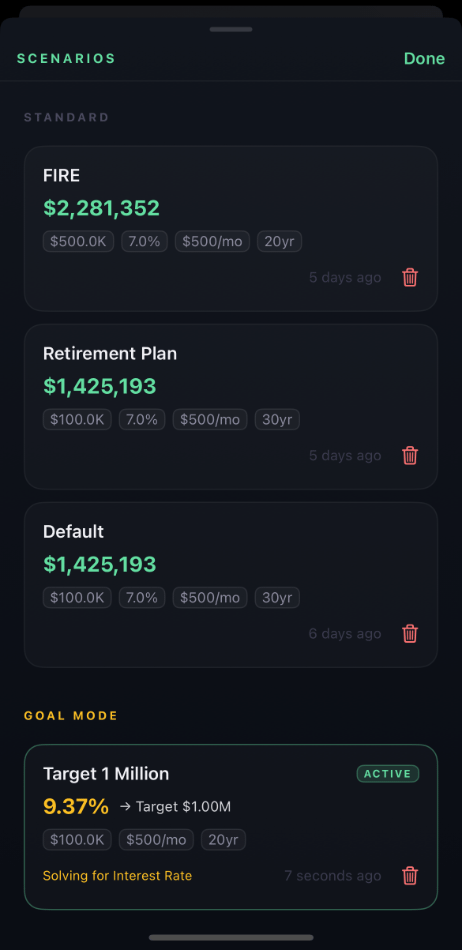
Save unlimited scenarios with names, notes, and full input snapshots. SwiftData stores everything locally on your device. No account required, no cloud sync, no analytics. Your financial modeling stays private.
Loaded scenarios show up in the hero with a name indicator and an unsaved-changes dot when you've modified inputs. Quick-save updates an existing scenario in place; save-as creates a new one. The scenario list groups Standard scenarios separately from Goal Mode scenarios, with relative dates ("updated 2 days ago") and quick deletion.
07 — Gallery
Inside CompoundFX.
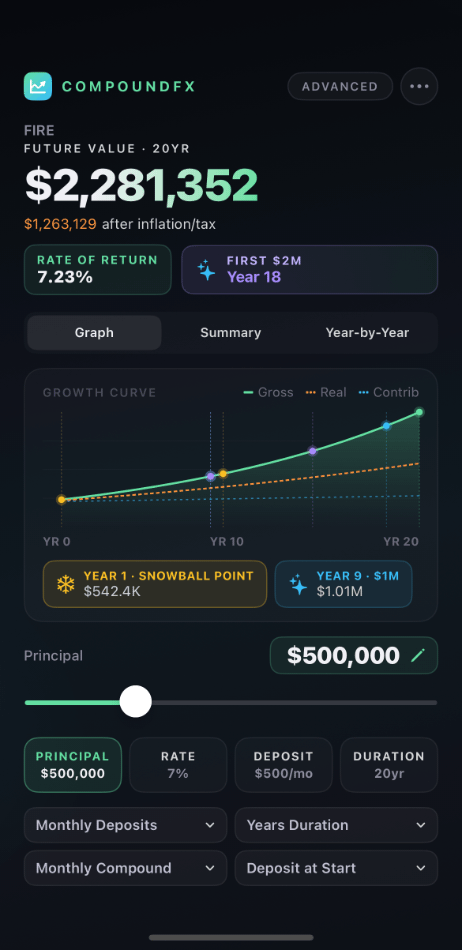
A look at CompoundFX in everyday use.
08 — Get CompoundFX
Free to start.
CompoundFX is free with an optional Pro tier. The free tier includes the full calculation engine, charts, year-by-year breakdown, milestones, and share-as-image. The Pro tier unlocks Goal Mode, Saved Scenarios, and Compare Scenarios, features that turn the calculator into a real planning tool.
No accounts, no analytics, no data collection. Everything runs locally on your device. Your financial scenarios are yours alone.
Prefer to try the math first? Use the free web calculator at compound-interest-calculator.app.